CRM & Sales Pipeline
If your startup is B2B (you sell to other businesses), your growth depends entirely on your Sales pipeline. Are you tracking deals in a notebook? Do you forget what you promised a client on the phone? UniTrack's Customer Relationship Manager (CRM) organizes every lead, contact, deal, and activity into a high-visibility pipeline with customizable stages, automatic lead scoring, activity tracking with follow-up reminders, and executive performance analytics.
1. The CRM Dashboard
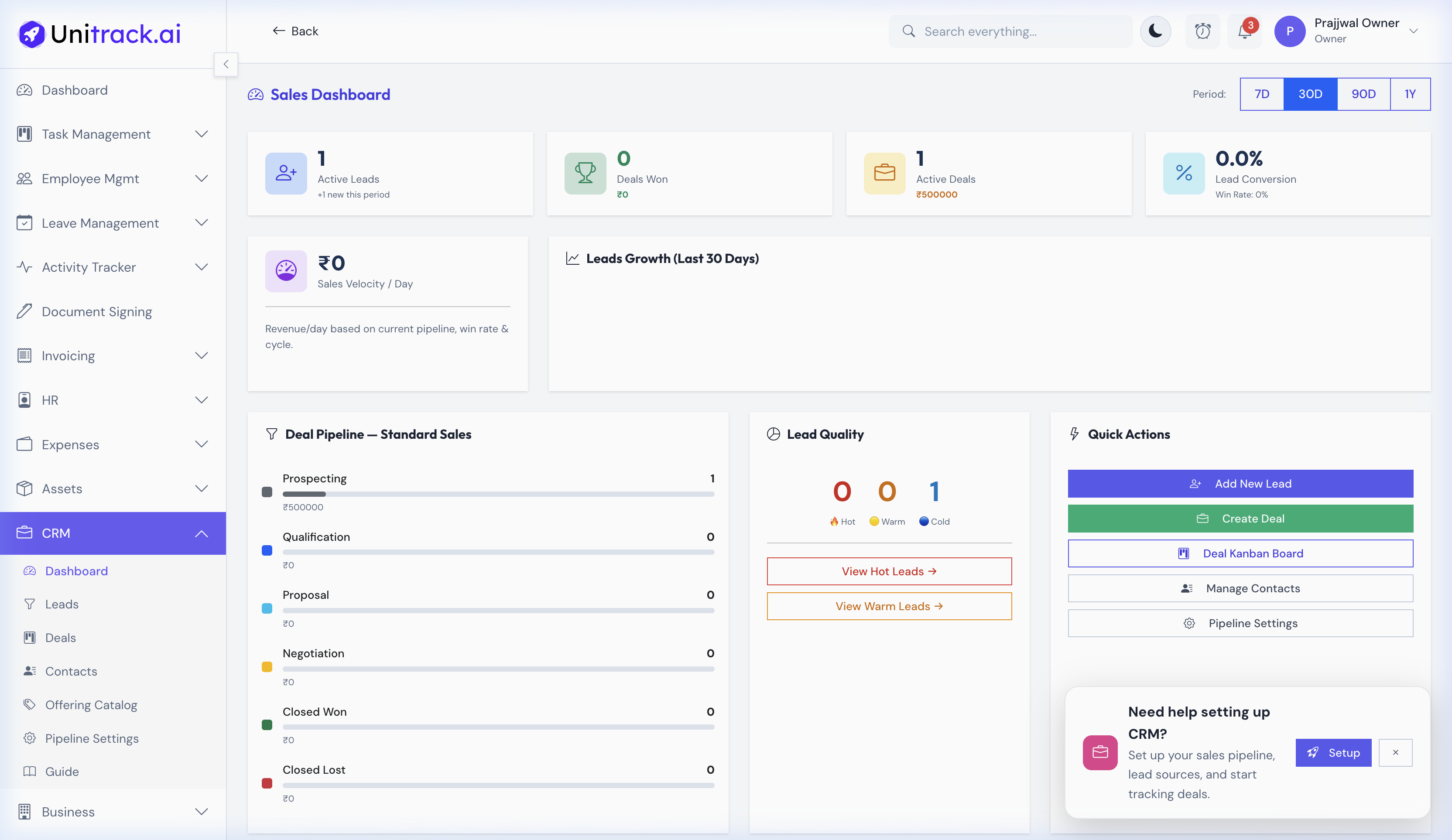
Your sales command center with real-time metrics and executive insights.
- 1High-Level View
The dashboard provides immediate visibility into your active leads, total deals won, conversion rates, and sales velocity for the selected time period.
- 2Visual Pipelines
See exactly how your deals are distributed with a "Deal Pipeline" funnel chart and a "Lead Quality" breakdown (Hot, Warm, Cold) to understand current momentum.
2. Lead Management
Capture and qualify every inbound opportunity before it becomes a deal.
- 1Lead Profiling
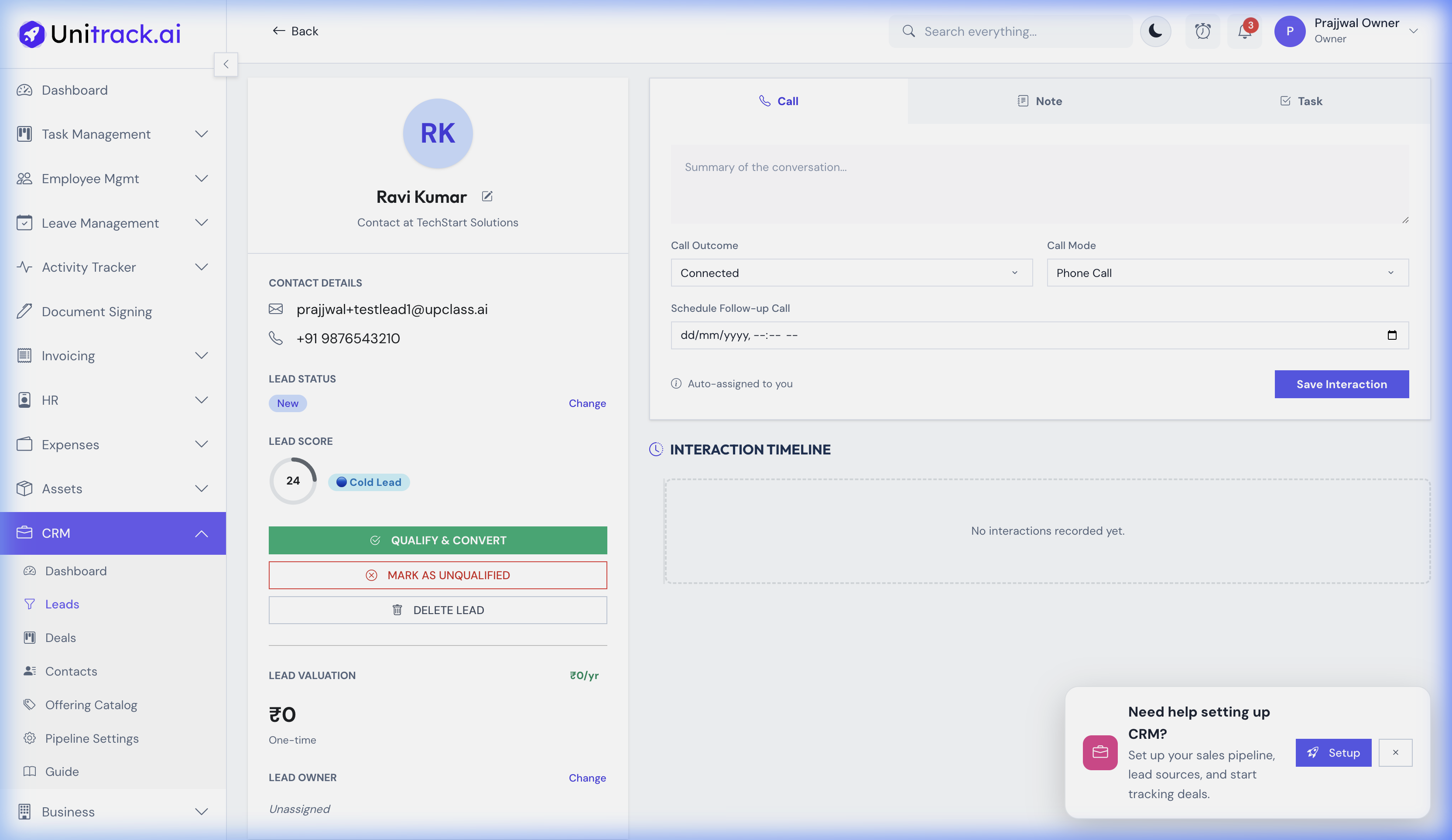
Each lead has a dedicated profile that stores their contact information, estimated value, and dynamically calculated Lead Score to help prioritize outreach.
- 2Interaction Tracking
You can seamlessly log calls, internal notes, and tasks directly on the lead's timeline, ensuring you have a complete history of the relationship.
- 3Qualification & Conversion
When a prospect is ready to buy, simply click Qualify & Convert. This seamlessly transitions the lead into an active Deal in your sales pipeline.
3. Deals & The Sales Pipeline (Kanban)
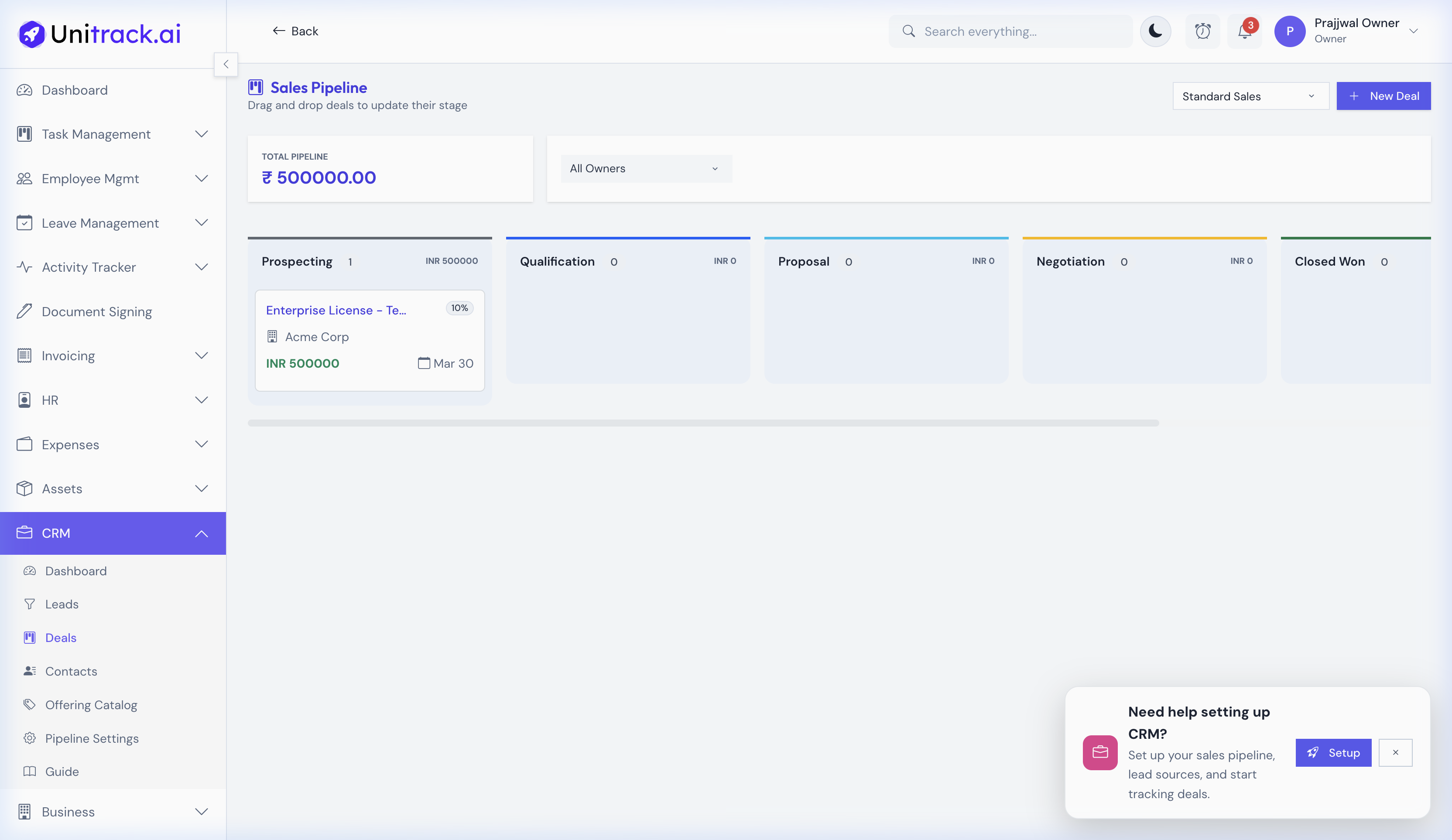
A Pipeline visualizes exactly where each deal stands in your sales process.
- 1Drag-and-Drop Management
The Deals Kanban board provides a visual layout of your entire sales process (e.g., Prospecting → Qualification → Proposal → Closed Won). Simply drag a deal from one column to the next as the sale progresses.
- 2Multi-Pipeline Support
If your business has distinct sales motions (e.g., Enterprise Sales vs Self-Serve), you can create multiple pipelines with custom stages in the CRM Pipeline Settings.
4. Additional Sales Tools
Essential tools to keep your sales data organized.
- 1Product & Service Offerings
Maintain an organized "Catalog" of your products and services. You can link these offerings directly to leads and deals to keep track of exactly what you are selling.
- 2Centralized Contacts
Your CRM acts as a unified address book. The Contacts database stores all your clients, vendors, and business relationships in one easily searchable place.