Video Meetings
UniTrack has a built-in video conferencing module powered by the Upclass Meet platform. You can schedule meetings, invite participants (both internal employees and external guests), generate secure video room links, and optionally record to the cloud — all without leaving UniTrack.
1. The Meetings List
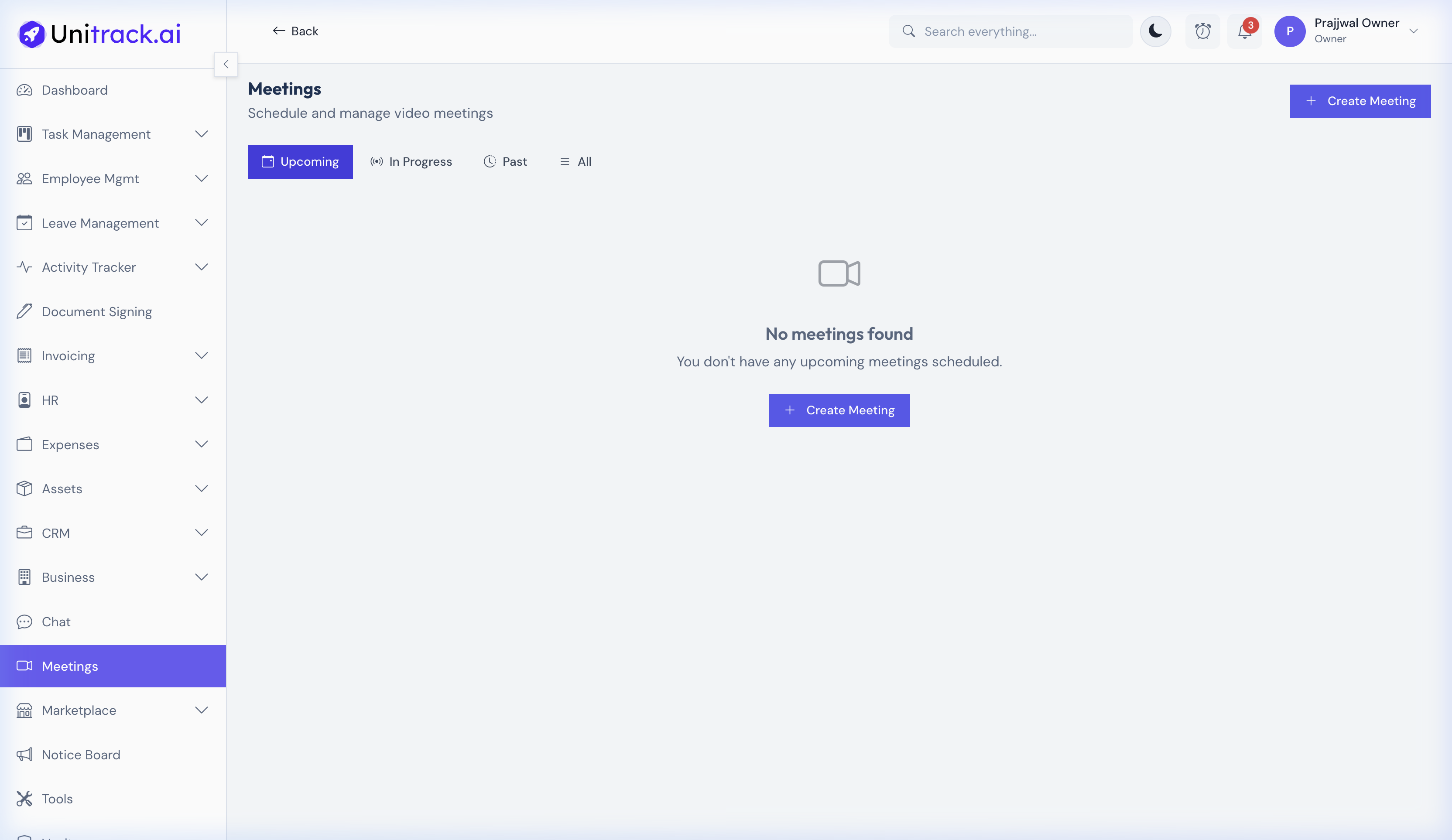
View all scheduled, active, and past meetings in one place.
- 1Filtering Your Meeting List
The meetings page features filter tabs: Upcoming (scheduled for the future), In Progress (currently active), Past (ended, expired, or cancelled), and All. This helps you quickly find the meeting you need without scrolling endlessly.
2. Scheduling a New Meeting
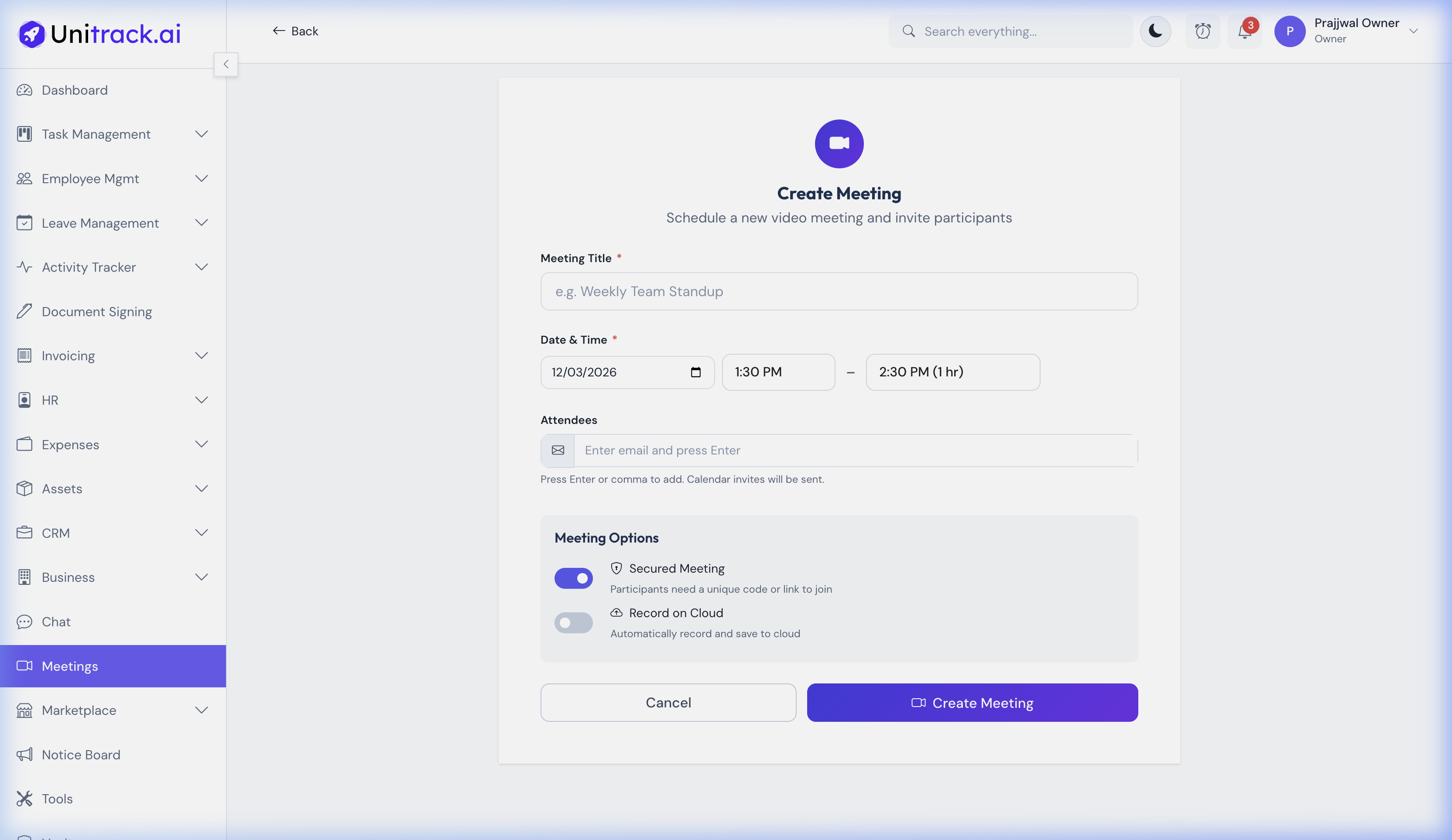
Scheduling is straightforward — just set the topic, time, and security options.
- 1Set the Meeting Details
Enter a clear, descriptive Topic. Choose the Date & Time and expected Duration (which updates automatically). You also have options to enable Secured Meeting mode and Cloud Recording.
- 2Invite Participants
Easily invite participants directly from the scheduling modal. They will be added to the invite list immediately upon creation.
3. Joining and Managing Meetings
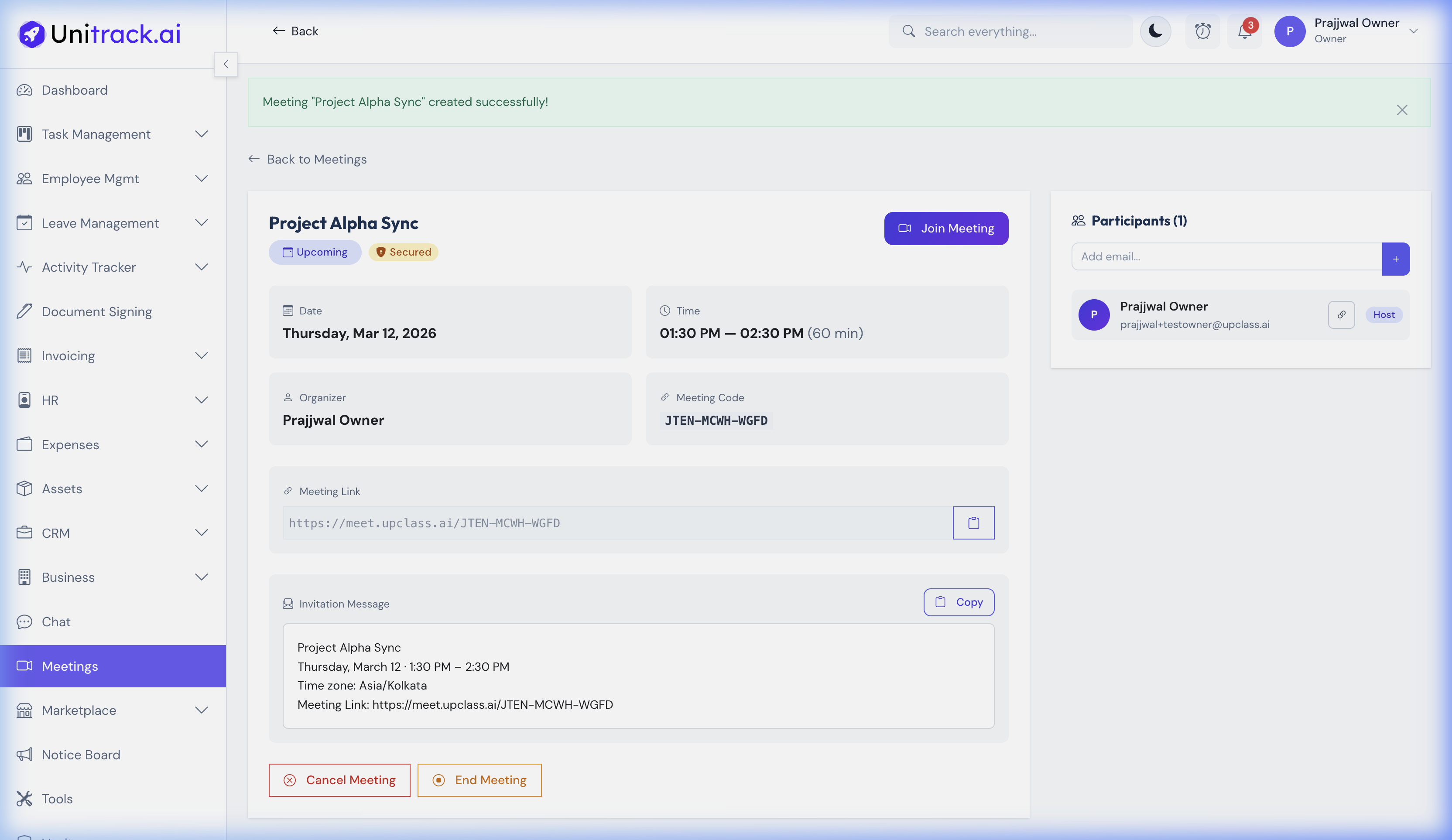
Once created, share the link and manage your attendees.
- 1Joining the Meeting
When it is time for the meeting, each participant clicks their unique Join Meeting button from the meeting detail page to enter the video room.
- 2Sharing the Invitation
The detail page provides a convenient "Copy Join URL" button and a pre-formatted Message. Simply copy this message and send it via Slack, email, or Team Chat to quickly invite others.
- 3Participant Management
As the Host, you can see everyone who is invited, add new participants by entering their email address, or remove individuals from the invite list prior to the meeting.